
Page properties
Name, title, and description for search engines, share image, indexing, and address (URL): settings specific to each page.
Each page has its own settings, accessible from the editor toolbar.
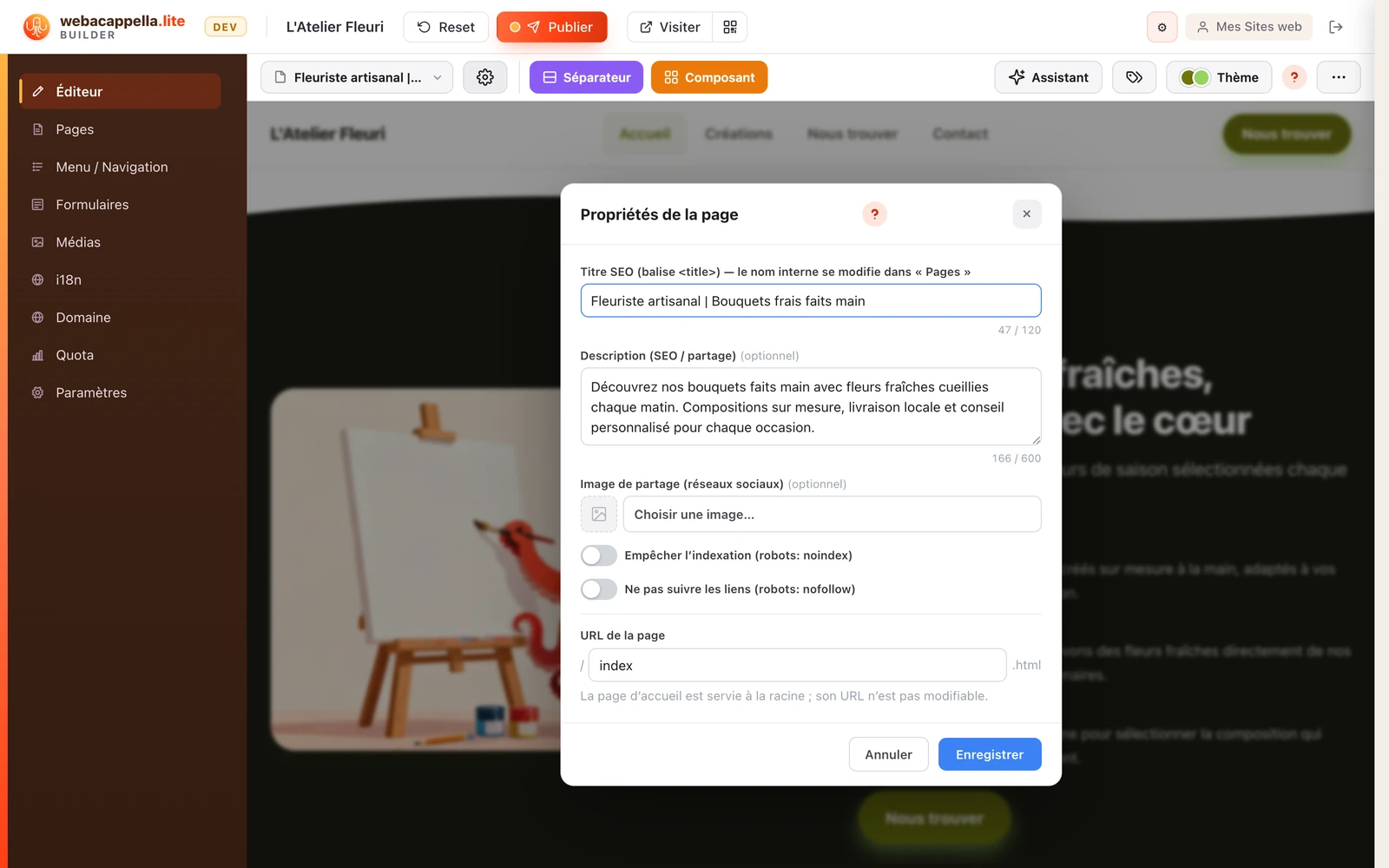
Title and description (SEO)
The title and description are what Google displays in its search results. A good title is short and precise; a good description entices users to click in just one or two sentences.
Share image
This is the image displayed when the page is shared (on social media, in messaging apps).
The menu section
In the menu, this page belongs to keeps a menu entry highlighted while the visitor is reading this page, even if the page itself does not appear in the menu. See Menu sections.
The page address (URL)
Each page has a short URL (for example, /contact). You can edit it: your site’s menu will update automatically.