
Order management and customer accounts
1. Orders folder and customer areas on the server
Your entire store (settings, products, etc.) is stored in your WebAcappella FUSION project. However, each new order placed by a customer on your store will result in a file being added to the following folder on your server:
/wa_shop_database/This folder will not be included in a WebAcappella backup. The configuration files are in open text format (JSON) and can be edited with any text editor. It is essential to back up this folder, especially if you change hosting providers.
Important: When restoring this folder to a new hosting provider, make sure the file and folder permissions are set correctly:
- 755 for folders
- 644 for files
2. Manage Commands Online
The WebAcappella toolbar provides a link to the order management page:
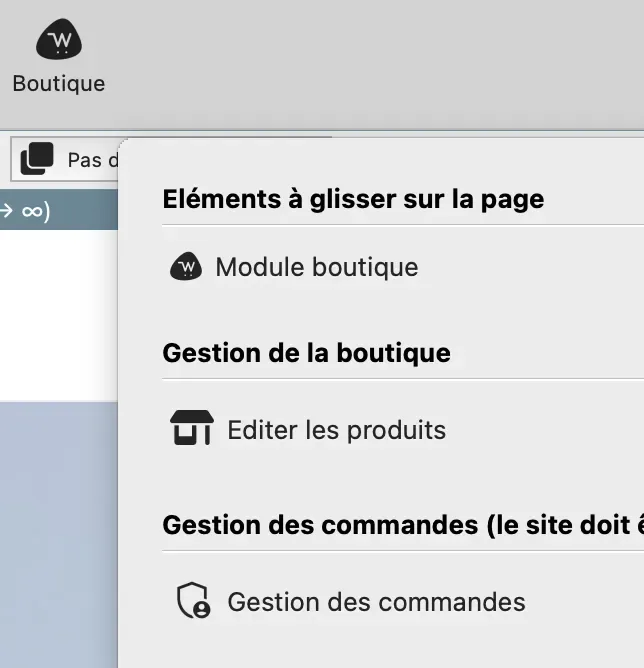
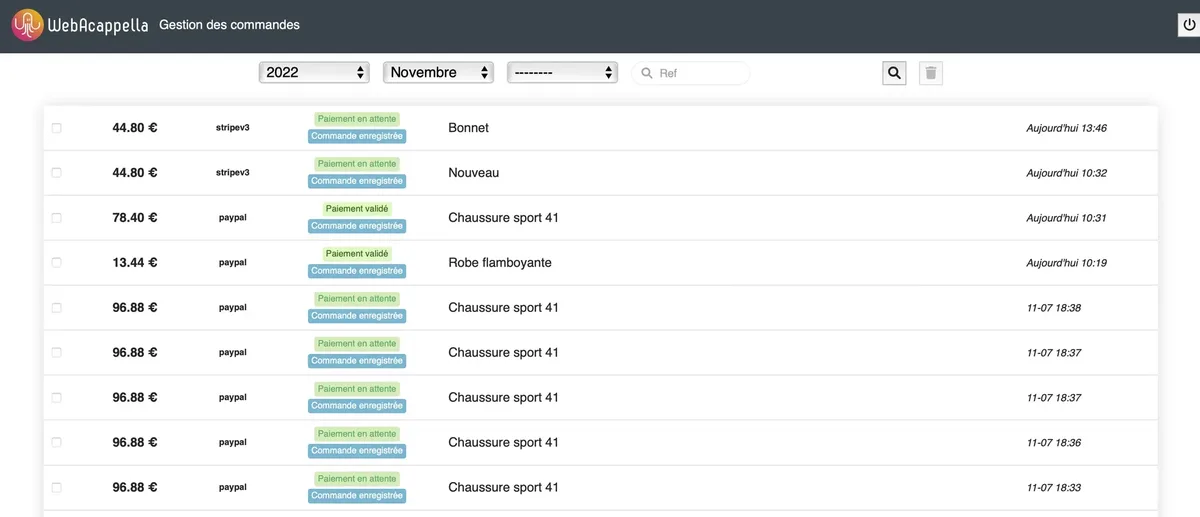
This page is accessible only after your site has been published. There, you can edit orders and change their status (payment confirmed, shipping in progress, etc.):
3. Delete commands
You can select and delete any orders you choose. These orders will not actually be deleted from your server but will be moved to the following folder:
/wa_shop_database/trash_orders/4. Save orders
You can back up all the orders stored on your server. This feature is useful for the store administrator, particularly when switching hosting providers. Simply place this backed-up folder on the new hosting space and verify the file and folder access permissions as mentioned above:

5. Export orders in CSV format
You can export orders in standard CSV format to import and process them in a spreadsheet program such as Excel or LibreOffice:

The export is based on the selected year and month.