
Element tree structure (right panel)
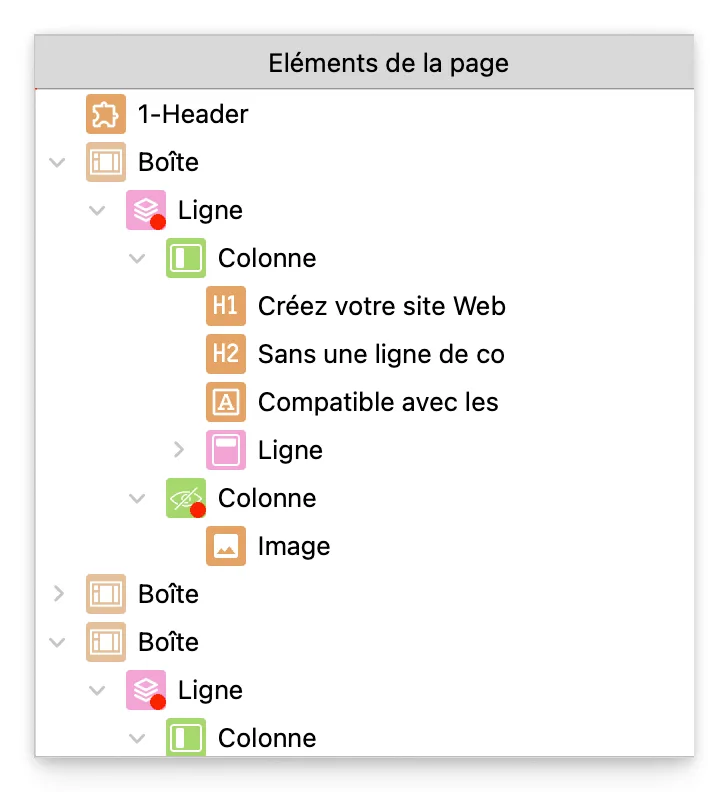
In WebAcappella, the right panel is always visible and plays an essential role in managing page elements. It provides a complete hierarchical view of the page structure and allows you to easily interact with each component.
Overview of the right panel
The right panel is divided into several sections, but the most important one for editing is the element tree.
This tree displays all the elements on the page in an organized list that is synchronized with the workspace.
It allows you to:
✔ View the complete hierarchy of elements (boxes, rows, columns, components).
✔ Quickly select an element, even if it is difficult to access on the workspace.
✔ Move elements in the hierarchy to reorganize the layout.
Select an element via the tree view
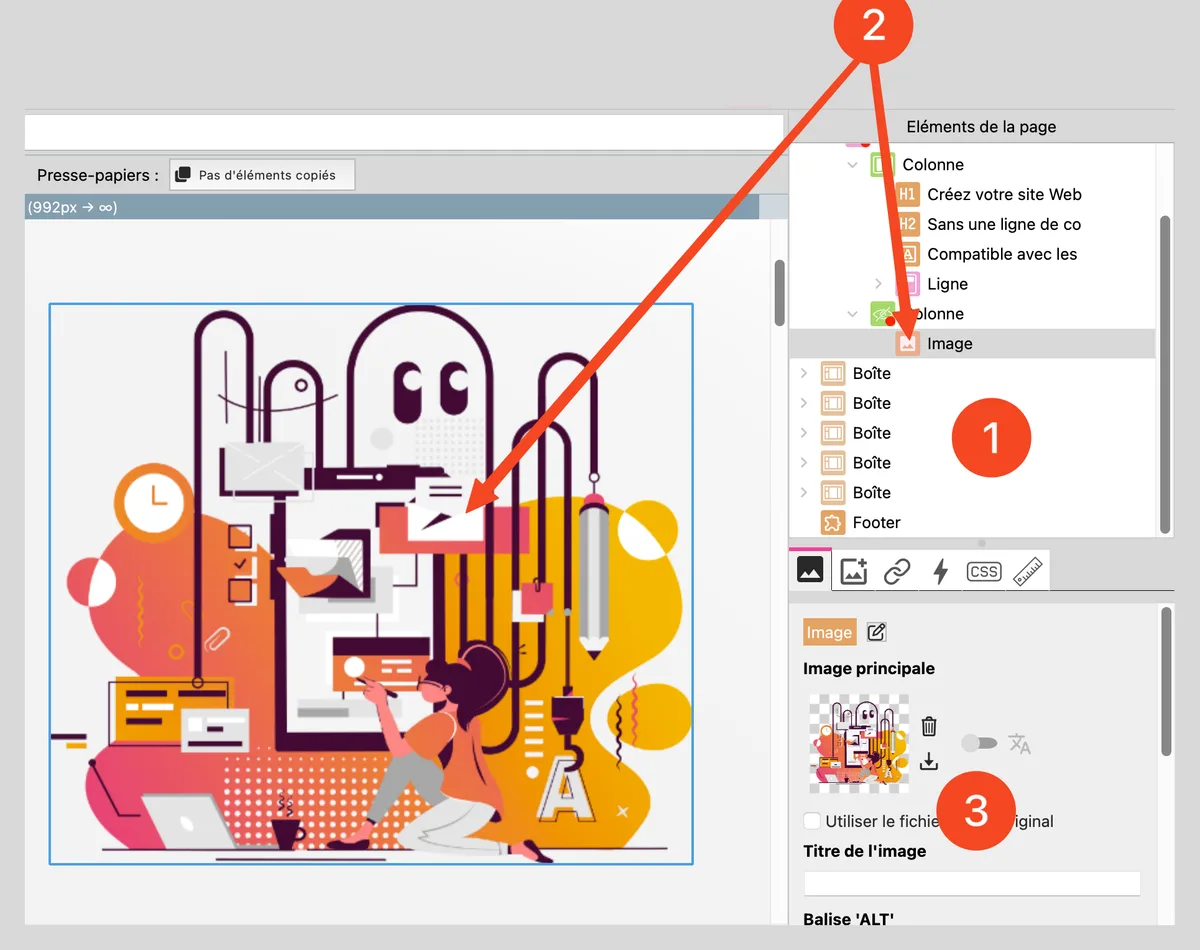
- Locate the desired element in the tree structure.
- Click on the item: it will be automatically selected on the workspace.
- The selected element is displayed with its properties, allowing for quick modification.
Move an item in the tree structure
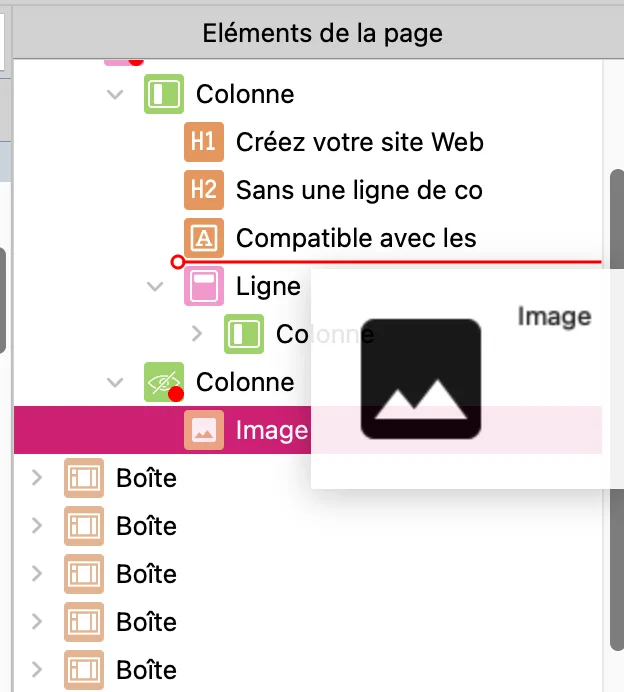
1. Click on an item and hold down the mouse button. 2. Drag it to a new location in the hierarchy. 3. Release the mouse button to reposition the item in the page structure.
Caution: Some elements cannot be moved freely. For example, a column must always be placed inside a row.
Advantages of using the right panel
✔ More precise selection: Ideal for grabbing elements that overlap or are difficult to click on the workspace.
✔ Clear hierarchical view: Allows for a structured organization of the page.
✔ Time saving: No need to zoom in or search for hidden elements, everything is clearly listed.
✔ Easier movement: Reorganizing elements is faster than manipulating them directly on the workspace.
Best practices
✔ Use the tree view to quickly navigate between elements.
✔ Move elements carefully so as not to disrupt the layout.
✔ Switch between the workspace and the tree structure for smoother editing.