
Breadcrumb
The Breadcrumb component in WebAcappella improves the user experience by providing a clear navigation path on your site. It helps visitors understand their current location and allows them to easily navigate between different sections of the site.
Key
- Hierarchical navigation: Displays the complete hierarchical path of the content, allowing users to see where they are in relation to the overall structure of the site.
- Interactive links: Each level of the breadcrumb trail is an active link that allows users to quickly return to a previous section with a single click.
- Easily customizable: Adapt the visual style of the breadcrumb trail to fit seamlessly with your website's graphic charter. Change colors, fonts, and add icons as needed.
- SEO friendly: Breadcrumb trails improve the readability of your site for search engines, thereby enhancing the visibility of your pages in search results.
- Time-saving: Quickly integrate this component into your pages with simple configuration and predefined templates.
How to use
- Add the component: Open your WebAcappella project and add a Breadcrumb component where you want it.

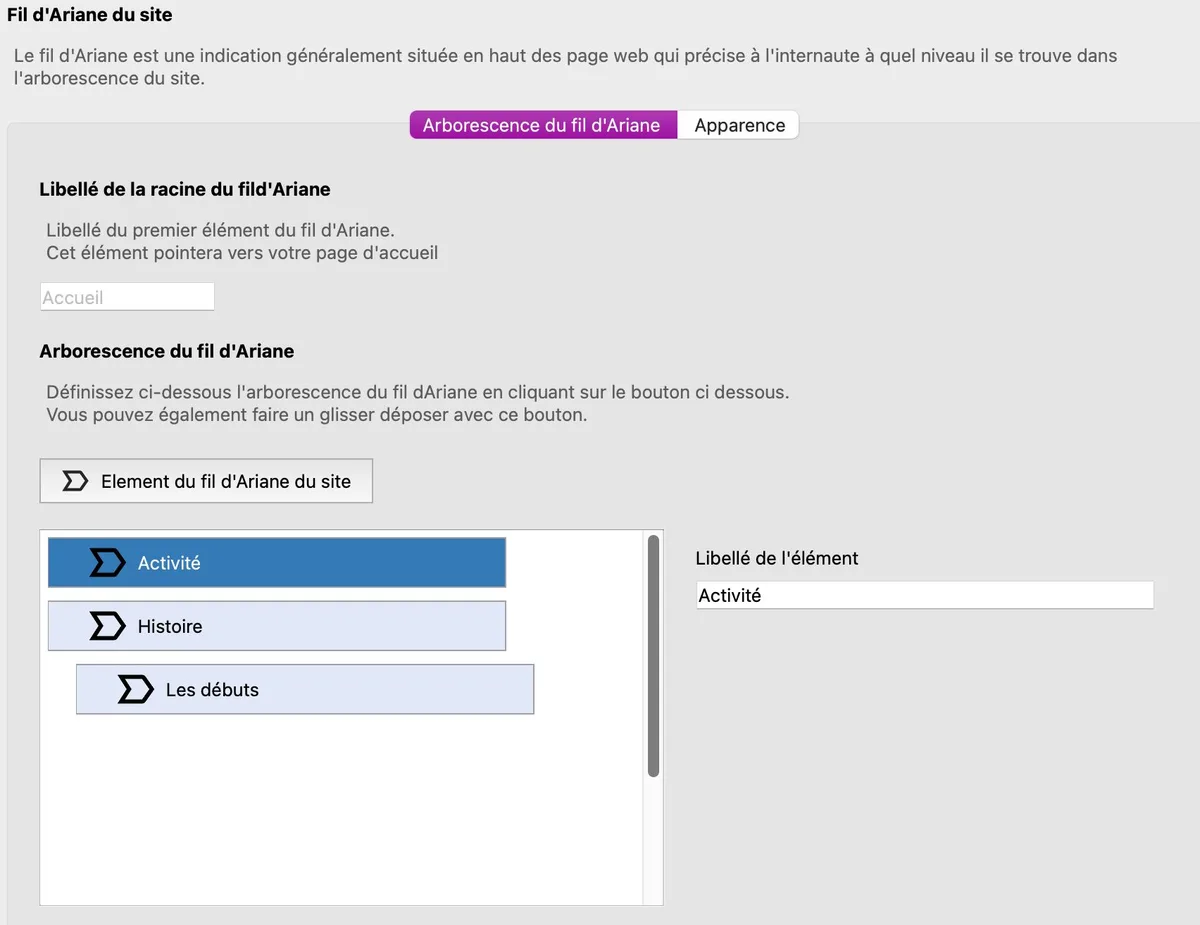
- Configure breadcrumbs: Use the configuration options to define the hierarchical structure and links for the different sections of your site.
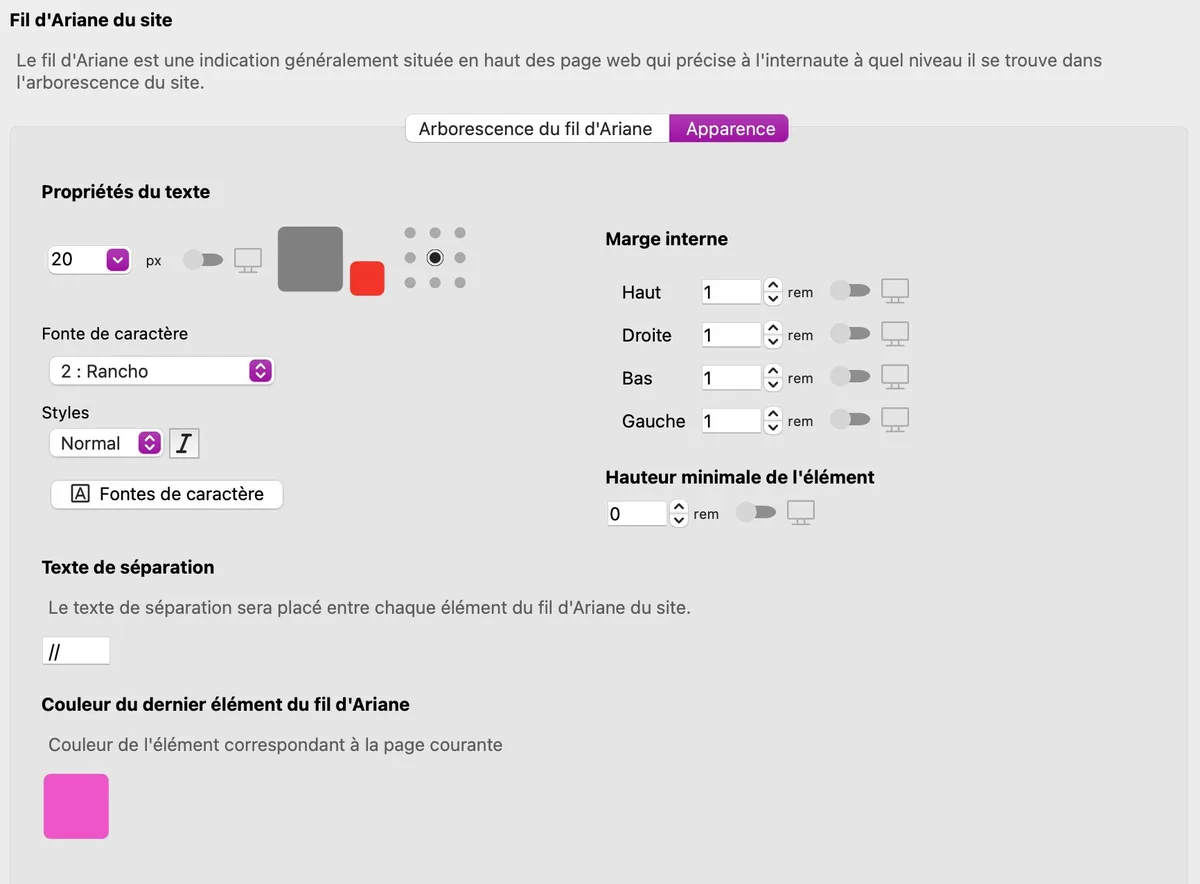
- Customize appearance: Adjust the colors, fonts, and style of breadcrumb links to match the overall design of your site.
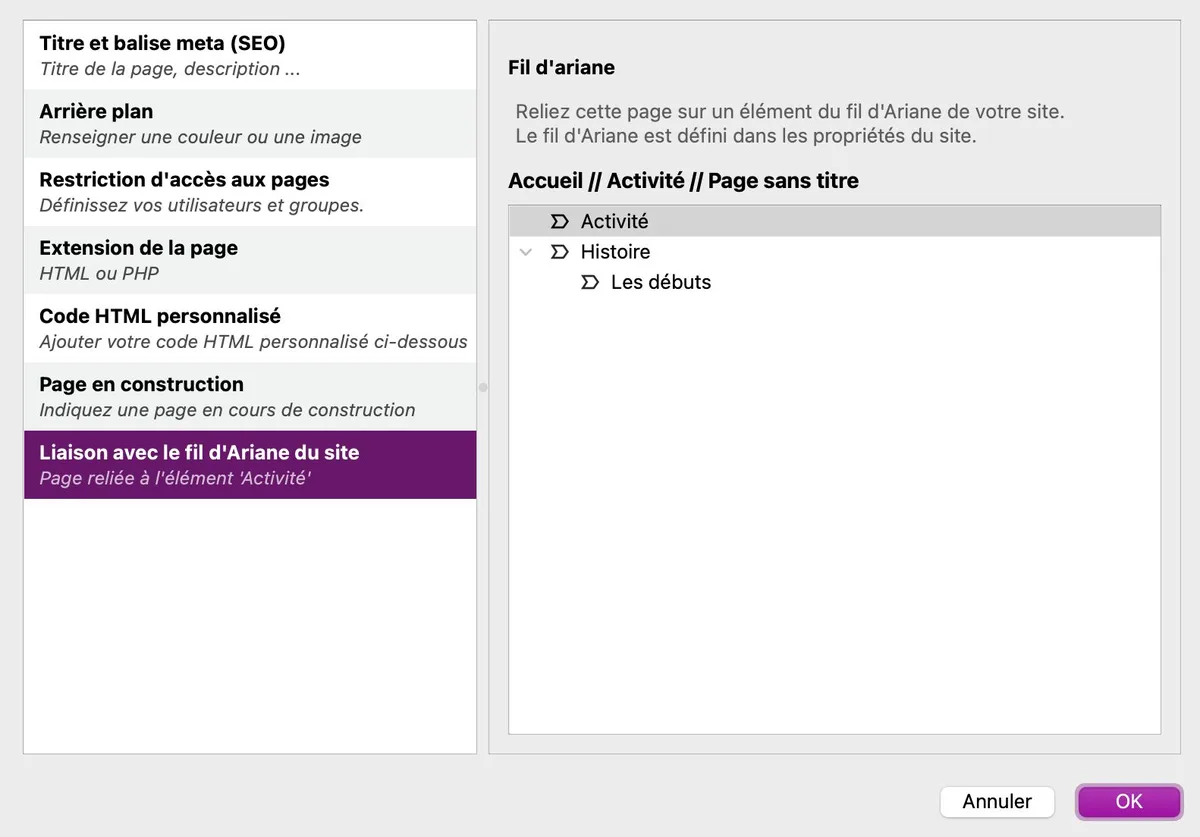
- Link each page to the breadcrumb trail: Configure the properties of each page and ensure that the breadcrumb trail links lead correctly to each corresponding section.
Conclusion
The Breadcrumb component is an essential tool for improving navigation and user experience on your website. By guiding your visitors through the site structure, this component contributes to better understanding and increased engagement, while improving your site's visibility on search engines.