
Dynamic Color Management
The dynamic color management feature in WebAcappella speeds up the design of your website by using dynamic color pickers. This feature offers a quick and productive way to update your site's color palette across all pages and components.
Key points
- Dynamic color pickers: Use up to eight dynamic colors to define your website's overall palette. These colors can be applied to any design element in your project.
- Global color editing: Adjust each dynamic color globally, ensuring that all elements using that color are updated simultaneously across the entire site. This saves you from having to edit colors manually and is a huge productivity boost.
- Seamless color coordination: Changes to dynamic colors are automatically reflected across all related elements, ensuring style consistency throughout the site. You can easily experiment with different palettes without affecting the design structure.
- Increased efficiency: With dynamic colors, the color update process becomes transparent. Whether you're making small changes or redesigning your entire site, this feature reduces the effort required, allowing you to focus on other creative aspects.
How to use
- Access color settings: Locate the color settings panel in the Tools menu.
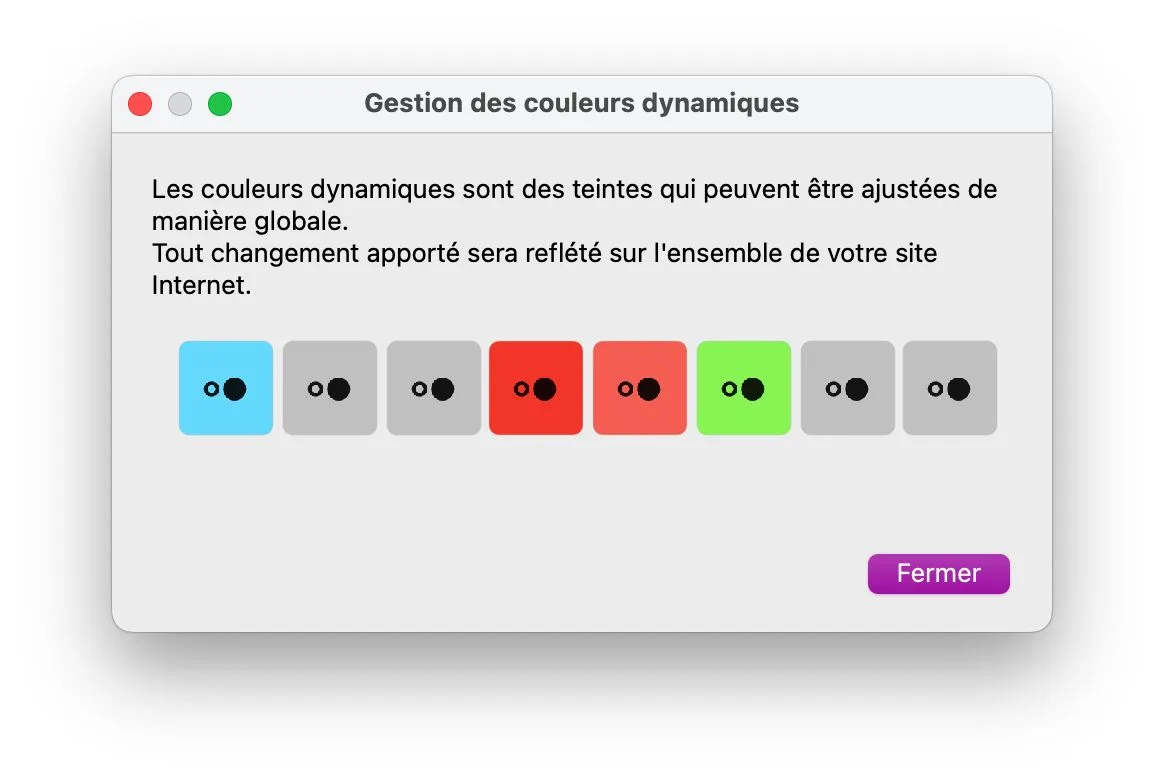
- Select a dynamic color: Choose one of the eight available dynamic colors.
- Apply to elements: Assign the selected dynamic color to various elements (text, backgrounds, borders, etc.) on your site.
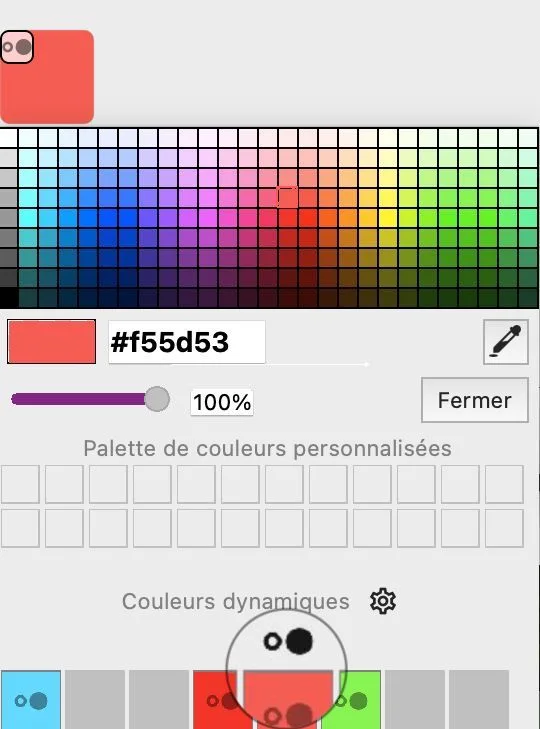
- Global update: Change the dynamic color settings to instantly see the changes reflected across your website.
- Refine your design: Make further adjustments to achieve your desired palette.
Conclusion
Dynamic color management is an essential feature of WebAcappella that simplifies the design process and helps maintain a consistent style across your website. Use it to significantly increase productivity and efficiently create visually appealing websites.