
Test Credit Cards with Stripe in Sandbox Mode
Stripe's Sandbox mode allows you to test credit card transactions without making actual charges. This is crucial to ensure that payment integrations are working properly before putting them into production.
Key points:
- Secure testing environment: Sandbox mode provides a secure development environment where no real transactions are processed.
- Use of test cards: Stripe provides specific credit card numbers for testing purposes, which simulate different transaction scenarios (approval, failure due to insufficient funds, etc.).
- No financial risk: Tests performed in Sandbox mode do not incur any actual fees or financial transactions.
- Feedback and errors: Receive instant feedback on simulated transactions to debug and improve your payment processes.
How to use with WebAcappella:
- Set up the Sandbox environment: Go to your Stripe dashboard and enable Test mode.

- Find your public and private keys: Go to the Developers / API Keys section.
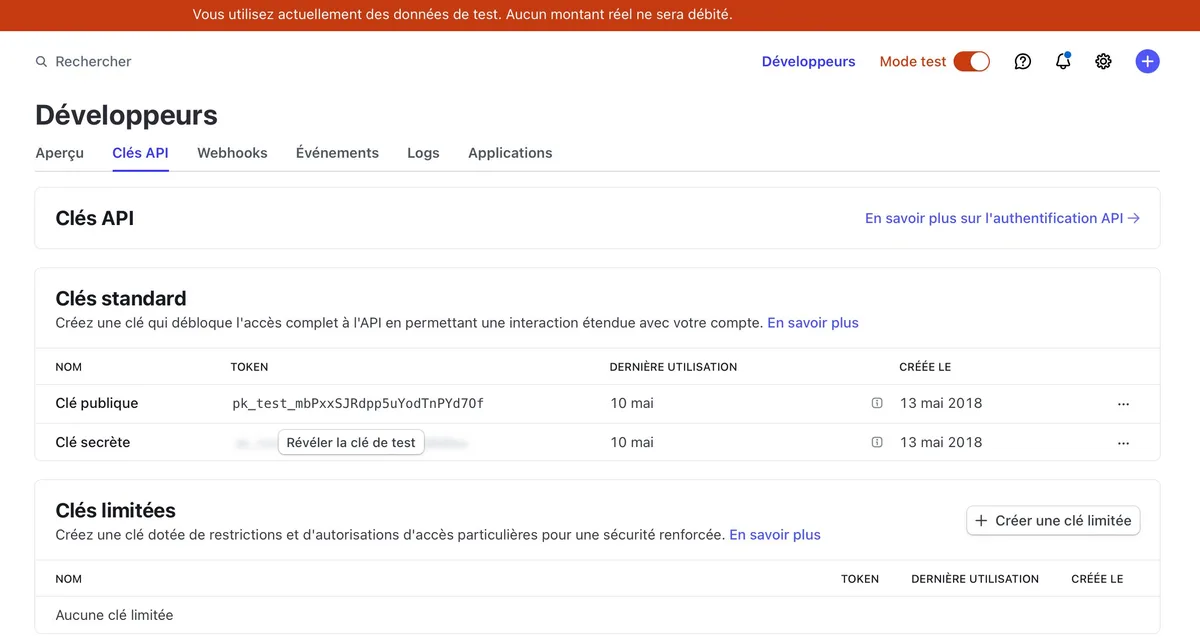
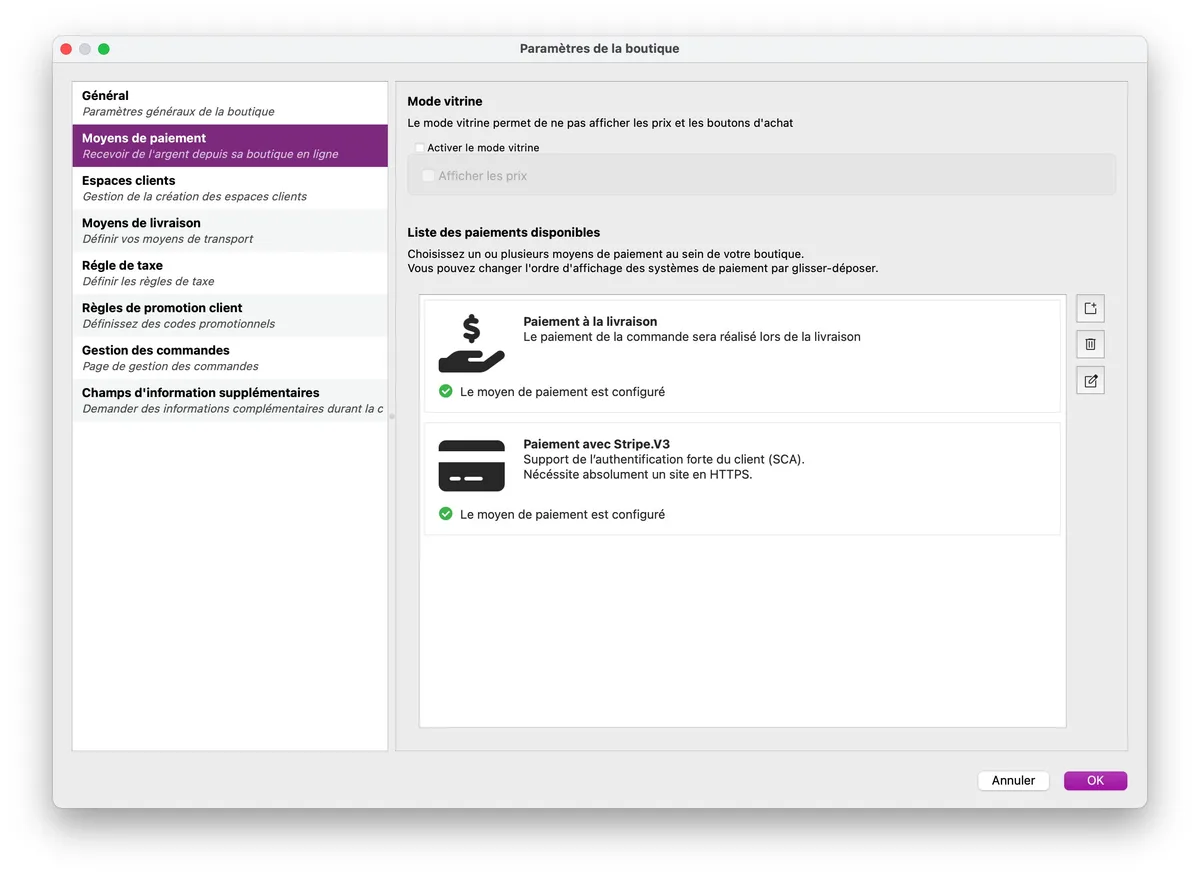
- Create a Stripe payment method in WebAcappella: Create a Stripe payment method to accept credit card payments.
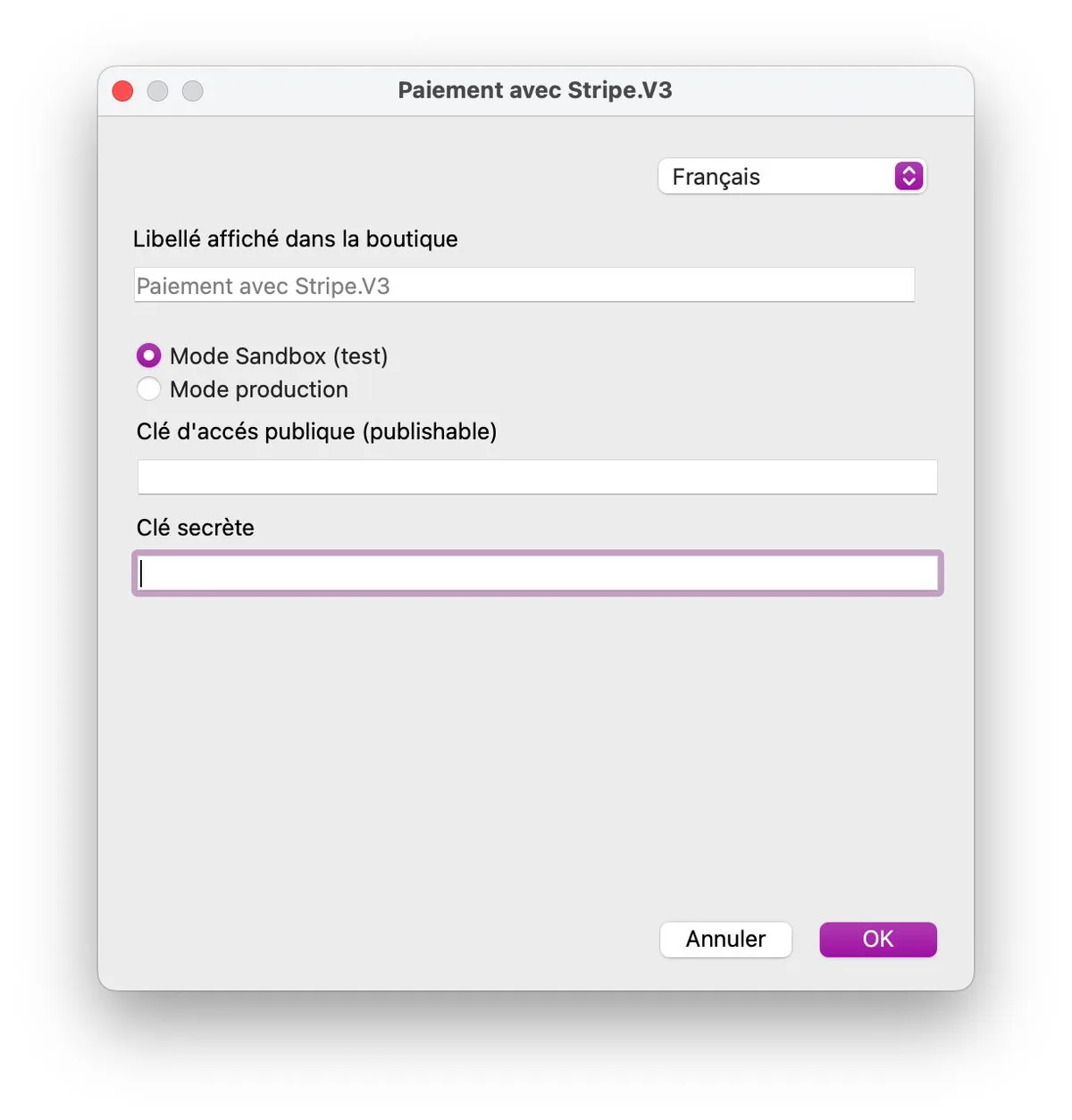
Enter your keys in WebAcappella.
- Execute transactions: Perform transactions using test cards to check your site's behavior.
Find your credit card numbers for simulation:
Conclusion
Testing credit card transactions with Stripe in Sandbox mode is an essential step in ensuring seamless payment integration on your site. This allows you to resolve issues before launch and ensure a smooth and secure user experience during payments.