
SFTP and FTP
Introduction
The File Transfer Protocol (FTP) and its secure alternative (SFTP) allow you to send your website files to a remote server. SFTP is recommended because it encrypts data and credentials, ensuring greater security.
Publish window
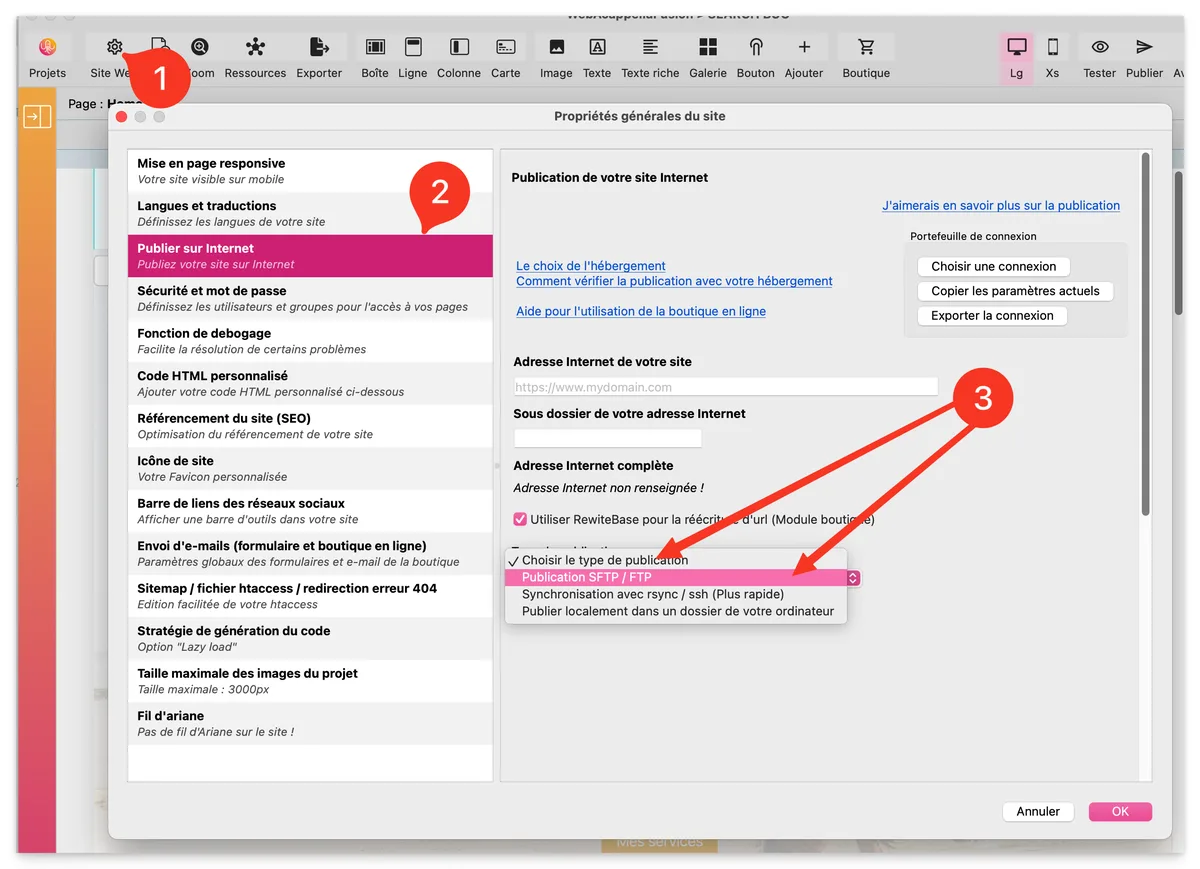
- Website (Site Properties)
- Publish to the Internet
- Choose the publication type and select "SFTP/FTP Publication"
Hosting provider information
All the information requested in points 4 to 8 has been provided to you by your host. You can find it by logging into your hosting account. This information varies depending on the host.
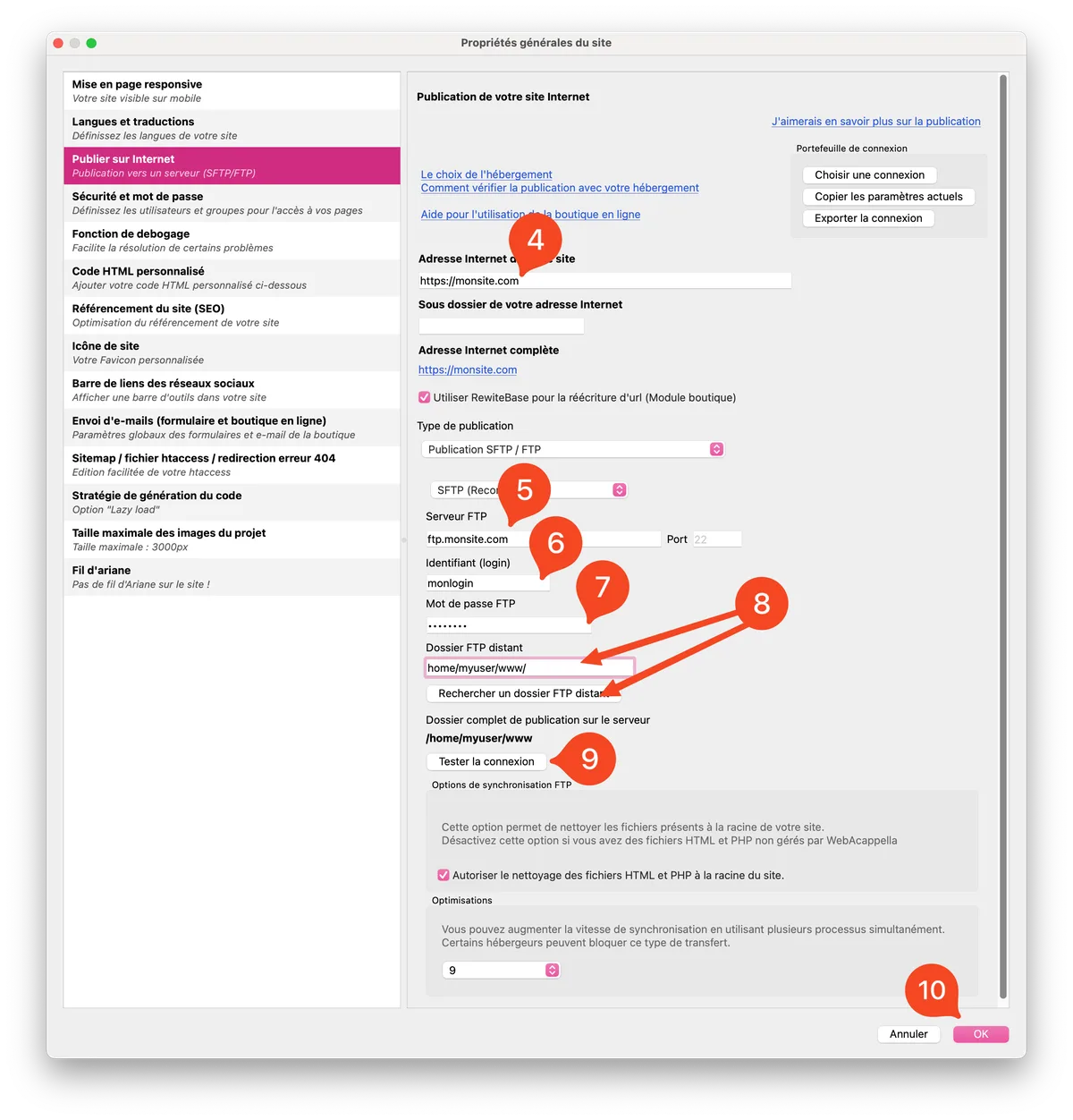
- Protocol: Select between FTP and SFTP (preferable for security reasons).
- FTP Server / Host: Server name, which can take the form of ftp.myserverftp.com or an IP address such as 12.34.56.789.
- Username / Login: Username required to access FTP.
- Password: Password associated with your username.
- Remote FTP folder: Specific directory on the server where your files must be stored to be accessible on the Internet.
The remote FTP folder may vary depending on the host. It is essential to place your files in the correct folder (e.g., public_html/, www/, htdocs/) to ensure they are visible online.
- Test the connection
- Don't forget to confirm by clicking OK
Common errors and solutions
- Connection error: Check your login details and make sure that the chosen protocol is supported by your hosting provider.
- Access denied to remote folder: Confirm that you have entered the correct directory and that your permissions are correct.
The SFTP protocol, which encrypts your data and credentials, is increasingly preferred for its enhanced security compared to traditional FTP, which can transmit your password in plain text. It is strongly recommended that you choose SFTP when this option is available from your host.
If you encounter transfer problems or other technical difficulties, see the Tutorial page to check FTP - SFTP publication.