
Resizing columns
In WebAcappella, columns allow you to organize content flexibly. Once placed in a row, they can be resized using side sliders, aligning with a 12-step grid to ensure a structured layout.
Principle
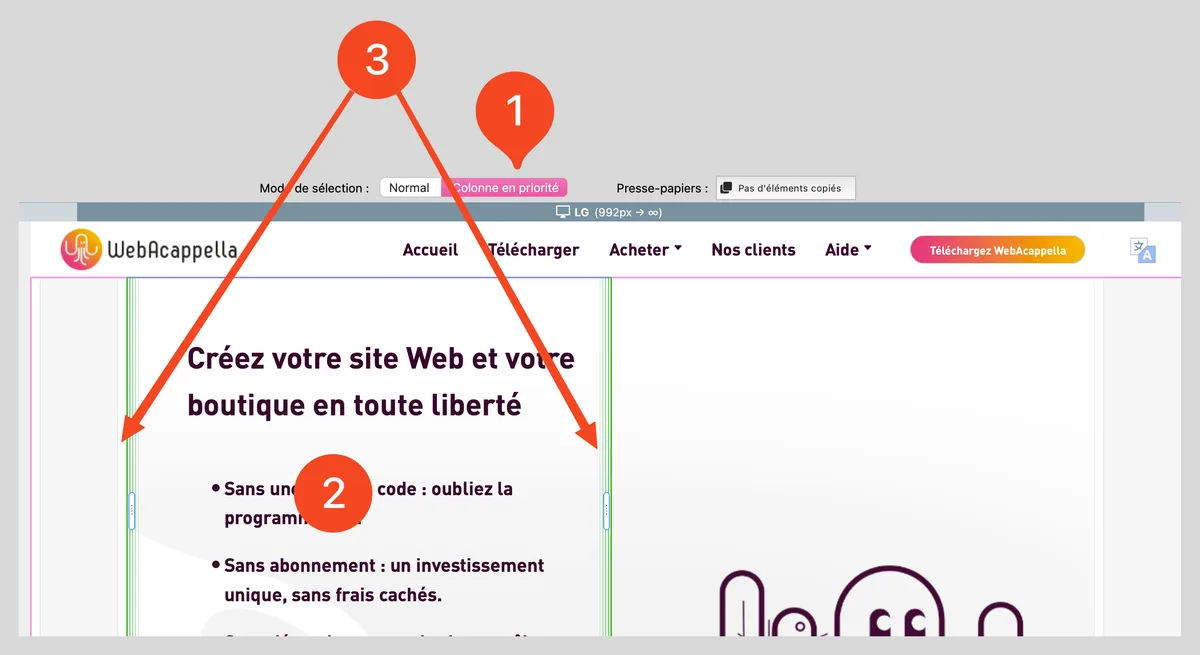
- Each selected column displays two side sliders (left and right).
- Resizing follows a 12-step grid, which means that column widths can be adjusted in predefined units rather than freely in pixels.
Changing the width of a column
1. Select 'column' mode (which makes selection easier). 2. Click on a column to select it. 3. Grab one of the side cursors (left or right).
- Drag the slider to the left or right: the column adjusts according to the grid increments.
- Release the click to confirm the new width.
Managing column adaptability
- Distribute columns evenly, taking into account the 12 available notches.
- Limit the number of columns that are too narrow to avoid unreadable content on mobile devices.
- Test the responsive rendering to check that the columns adjust automatically to the screen size.