
Copy and paste elements
WebAcappella uses a clipboard system for copy-paste management, allowing you to quickly duplicate elements while maintaining precise placement.
Copying an element
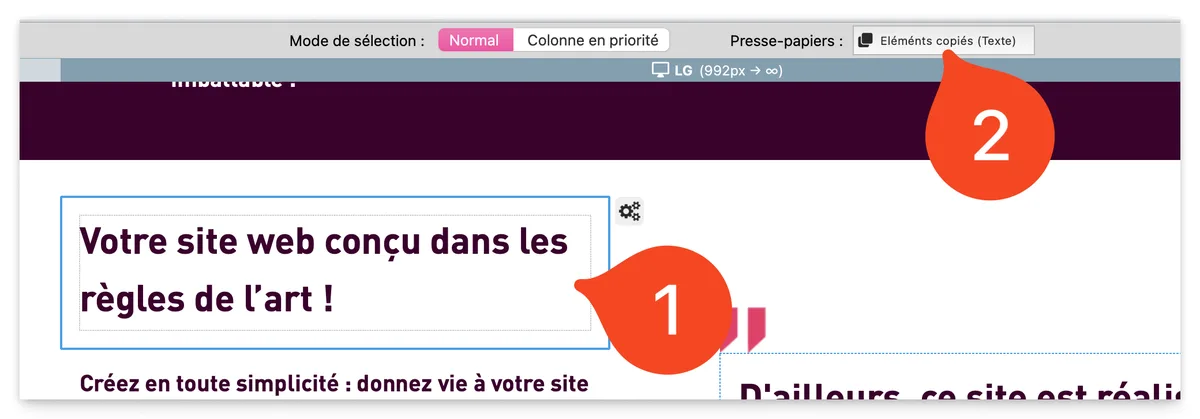
- Select an element (box, row, column, or component).
- Use the shortcut Cmd + C (Mac) or Ctrl + C (Windows).
- The "Clipboard" button (above the workspace) changes state and indicates that an element has been copied.
Paste an item
There are two options for pasting the copied element:
- Paste using the keyboard shortcut
- Press Cmd + V (Mac) or Ctrl + V (Windows).
- The item is automatically pasted into the first available position on the page.
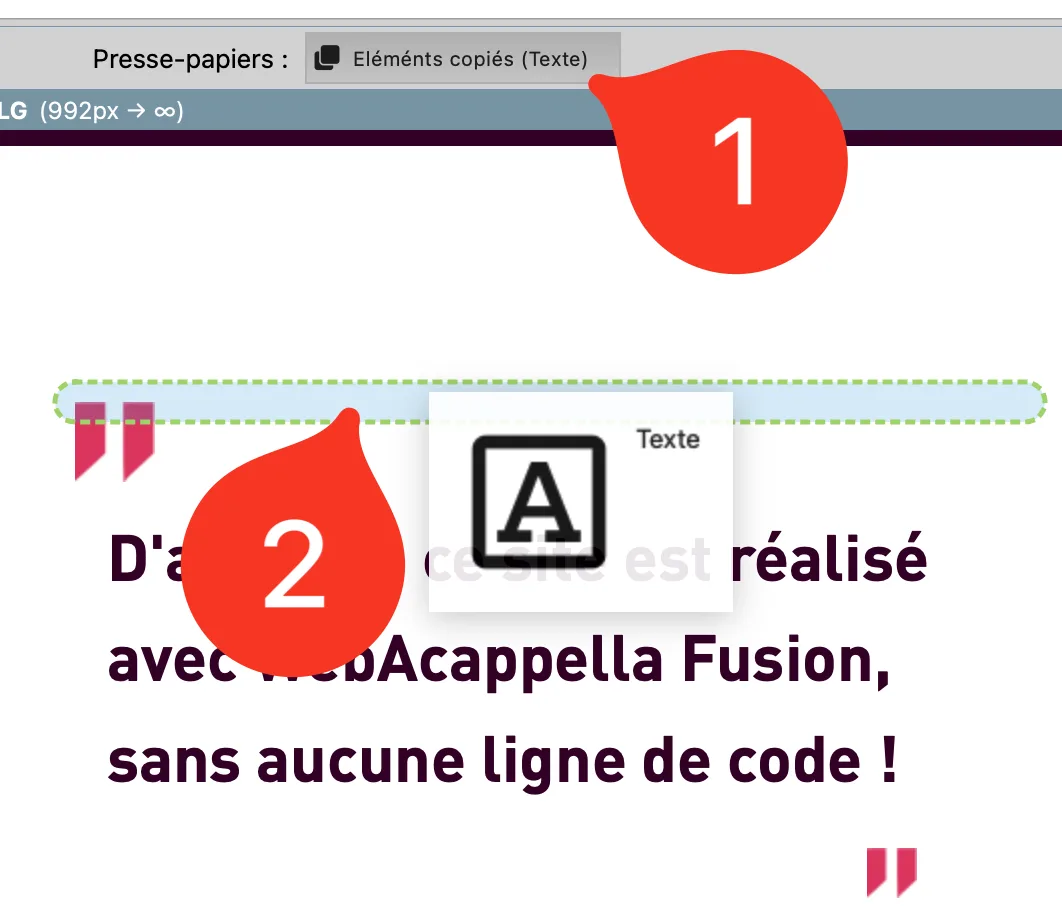
- Paste using the Clipboard button
- Click and hold the "Clipboard" button.
- Drag the button to the work area.
- Release the click to drop the copy of the item in the desired location.
Best practices
- Use keyboard shortcuts to speed up layout and project management.
- Check the clipboard before pasting an item.
- Use Cmd + V / Ctrl + V for quick pasting or the clipboard for precise placement.
- Drag the clipboard button to a free space to avoid overlapping items.