
Main interfaces
Home window
Home page with the list of projects in the current working folder
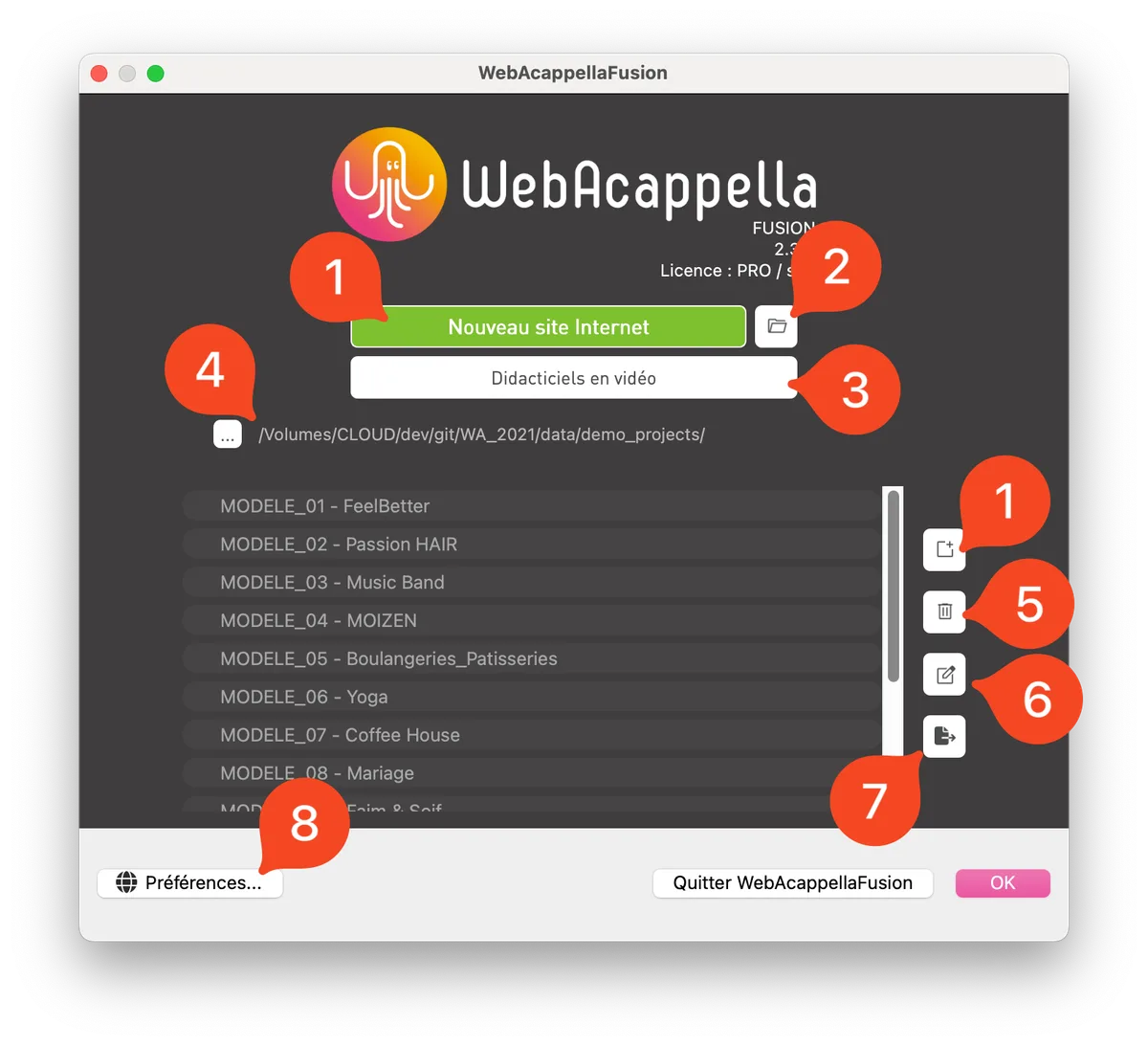
- Create a new website
- Import a backup as an archive or folder
- Launch video tutorial mode
- Current working folder
- Delete the selected project
- Change the project name
- Export the selected project (backup)
- Open application preferences
Deleting a project is not permanent in the sense that a project deleted from the software is not physically deleted. The project folder will be renamed to: ~project-name, so you can recover a deleted project at any time by renaming the folder.
Editing window
Here are the interface elements you need to create your website:
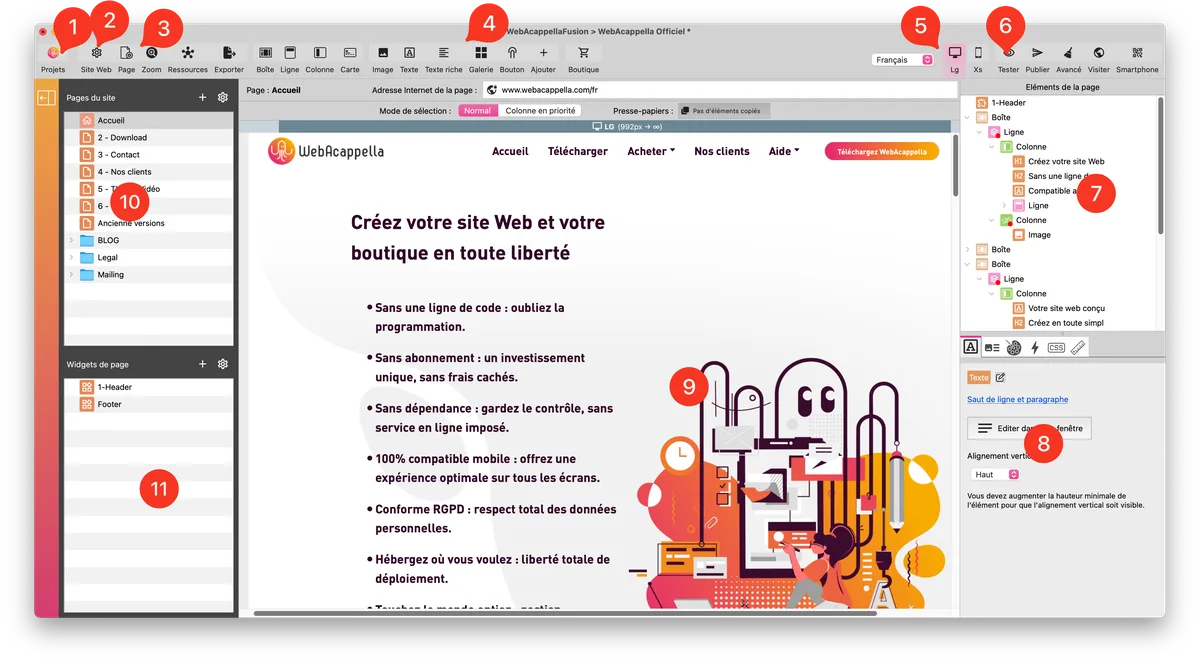
- Button to return to the list of projects
- General website properties
- Current page properties
- List of available components
- Buttons for selecting the current screen (responsive management)
- Test the site locally
- Tree structure of page elements (synchronized with the workspace)
- Properties of the selected element
- Main workspace
- List of pages
- List of widgets