
Contact forms
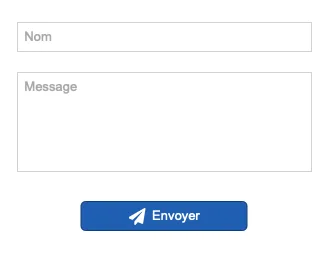
Forms are made up of fields (text, list, etc.) and a button that sends this information to the server.
The default behavior of the form is to send an email to your email address.
Creating a form
Creating a form is very simple: a form button (Send button) and the fields of your choice.
The submission itself is then done via your hosting service.
Simple form submission
The default sending system simply requires you to enter your email address (To).
Save time by entering your email address in your site's general properties so you don't have to enter it each time you create a new form.
Sending does not work with my host
You do not receive the email or an error occurs during sending.
There are limitations with some hosting providers.
Contact your host and ask them for a PHP code that works.
You can test the following PHP codes directly with custom sending in WebAcappella
If the code works, feel free to contact us to add settings in WebAcappella to make the forms easier to use.
We do not provide technical support for sending issues, as these depend on the hosting provider's operating and configuration variables. This page should help you if you encounter any problems:
See the page on email sending problems.
Customized sending with the mail function
If you have knowledge of PHP, you can completely customize form sending using the PHP mail function
php.net/manual/en/function.mail.php
Classic PHP example of sending mail
<?php

$message = "Mon message ";

$result = mail("adresse@fai.com", "Test WebAcappella form", $message);

echo json_encode(['success' => $result, 'message' => "Error occured"]);
The custom email feature allows you to directly test any specific mail function settings provided by your hosting provider
Custom email sending using the PHPMailer library
Below is an example of more advanced code using the PHPMailer library.
PHPMailer is an open-source library used worldwide in most CMS platforms.
You can use this example to verify that your web host properly supports sending email independently of WebAcappella
<?php
$mail = new PHPMailer();

$mail->CharSet = 'UTF-8';

$mail->From = "monmail@domain.com";

$mail->AddAddress("monmail@domain.com");

$mail->Subject = "My subject";

$mail->Body = "Texte Body";

$result = $mail->send();

echo json_encode(['success' => $result, 'message' => $mail->ErrorInfo]);