Resizing columns
In WebAcappella, columns provide a flexible way of organizing content. Once placed in a row, they can be resized using side sliders, aligning with a 12-notch grid to ensure a structured layout.
Principle
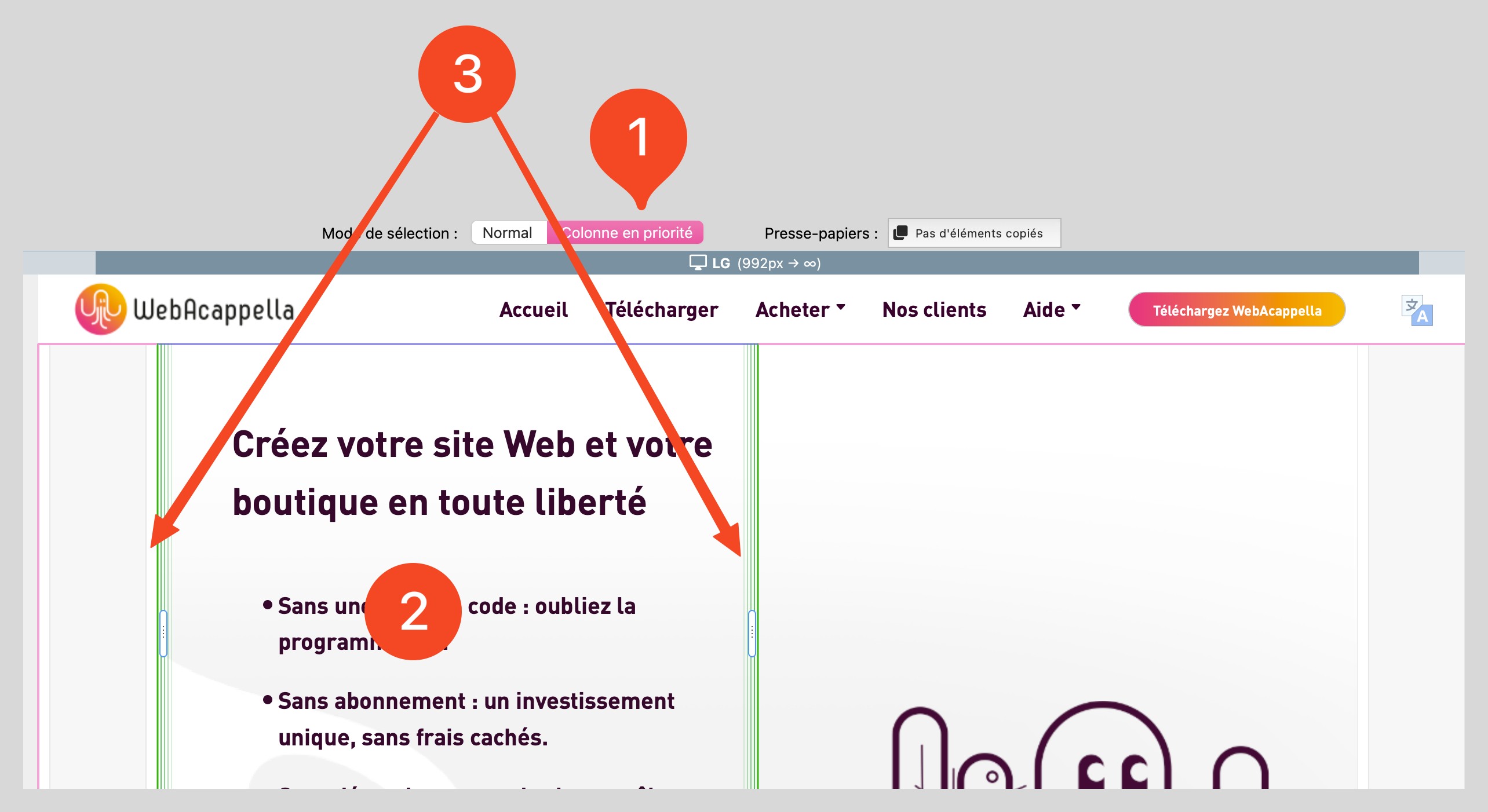
Each selected column displays two lateral cursors (left and right).
Resizing follows a 12-notch grid, which means that column widths can be adjusted in predefined units and not freely in pixels.
Modify column width
Select ‘column’ mode (which makes selection easier).
Click on a column to select it.
Grab one of the side sliders (left or right).
Slide the cursor left or right: the column adjusts to the grid notches.
Release to validate the new width.
Managing column adaptability
✔ Distribute columns evenly, taking into account the 12 notches available. ✔ Limit the number of too-narrow columns to avoid unreadable content on mobile. ✔ Test responsive rendering to verify automatic adjustment of columns according to screen size.