Copy and paste elements
WebAcappella uses a clipboard system for copy-and-paste management, enabling elements to be quickly duplicated while maintaining precise placement.
Copy an element
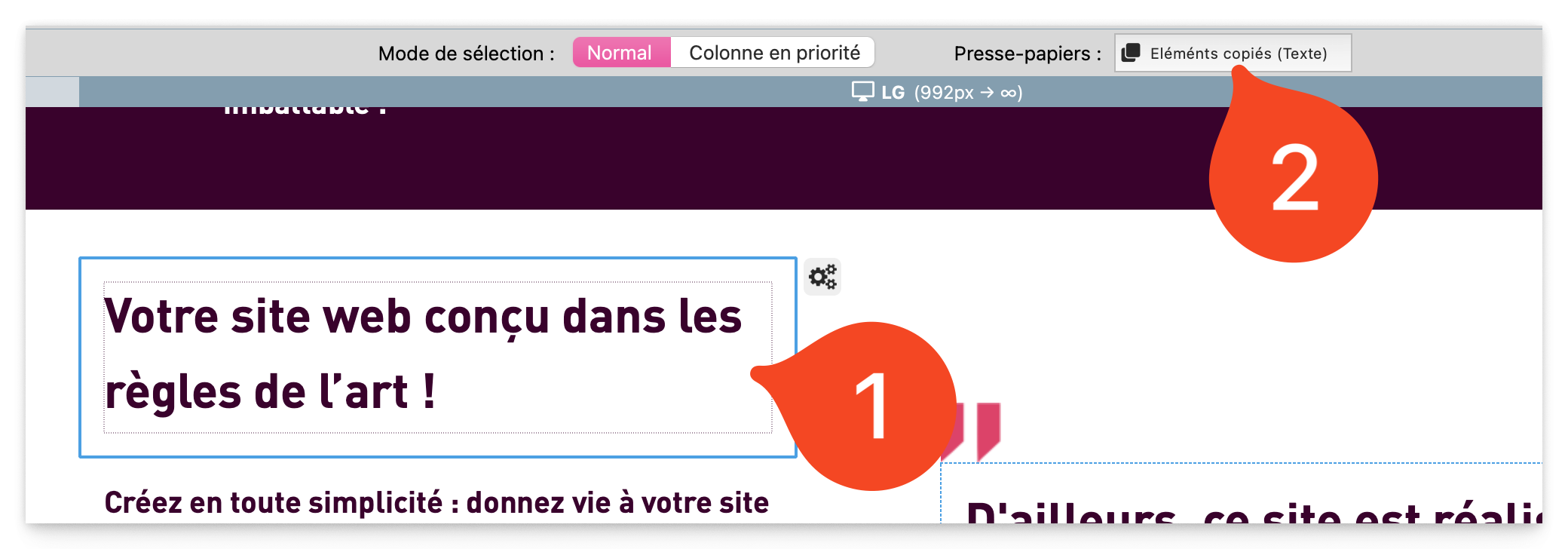
Select an element (box, row, column or component).
Use the shortcut Cmd + C (Mac) or Ctrl + C (Windows).
The “Clipboard” button (above the work area) changes state to indicate that an item has been copied.
Paste an element
Two options are available for pasting the copied element:
Paste with keyboard shortcut
Press Cmd + V (Mac) or Ctrl + V (Windows).
The element is automatically pasted at the first available position on the page.
Paste with clipboard button
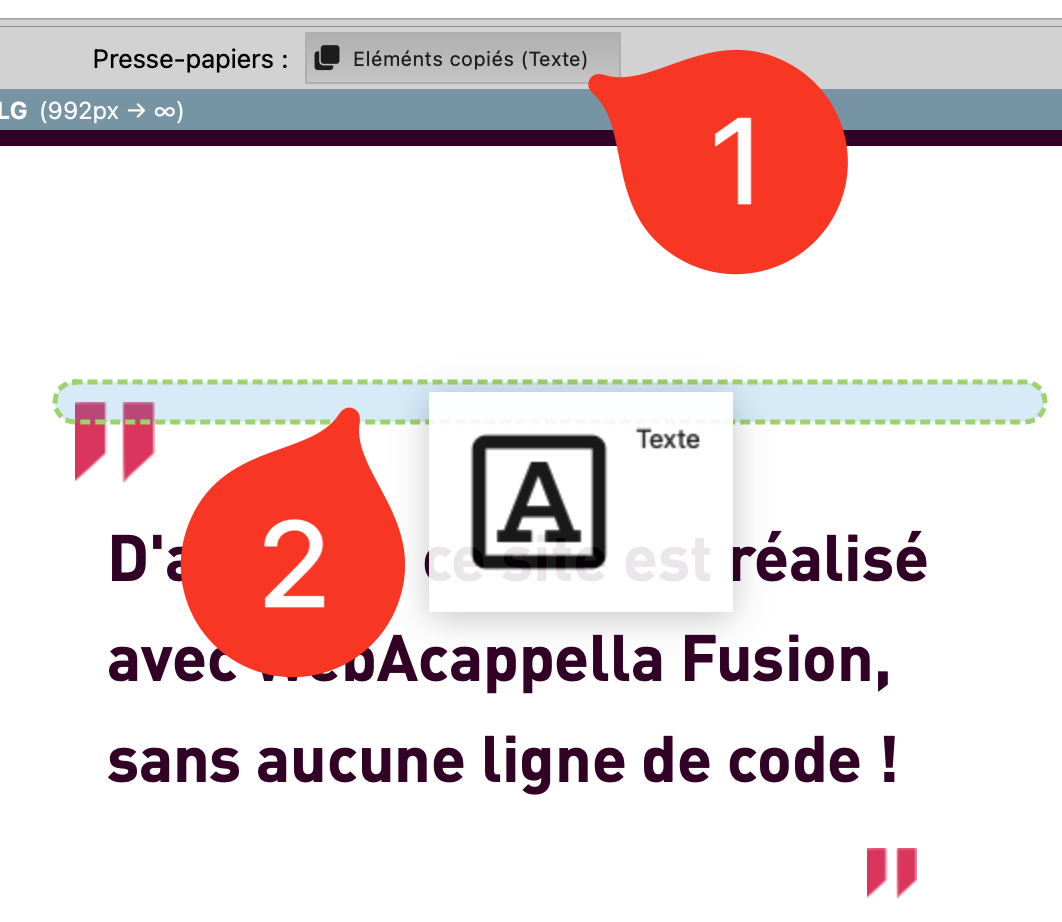
Click and hold the “Clipboard” button.
Slide the knob towards the work area.
Release the click to move the copy of the element to the desired location.
Best practices
✔ Use keyboard shortcuts to speed up layout and project management. ✔ Check clipboard status before pasting an item. ✔ Use Cmd + V / Ctrl + V for quick pasting or the clipboard for precise placement. ✔ Drag the clipboard button into a free slot to avoid overlapping elements.