Box / line / column layout
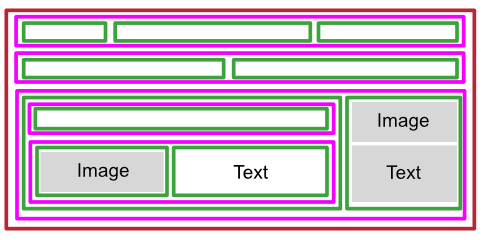
In WebAcappella, elements are organized according to a precise structure:
Boxes are the main containers structuring the page.
The lines fit directly into the boxes, enabling horizontal organization.
Columns are elements like any other (text, image, button) and must be dragged into a line to organize content vertically.
This hierarchy makes it possible to design flexible, adaptive layouts.
Color legend
In WebAcappella’s interface, each element structuring the page is represented by a specific color:
Brown for boxes.
Pink for the lines.
Green for columns.
When an element is selected, it is surrounded by a border of the same color.
Create a new page
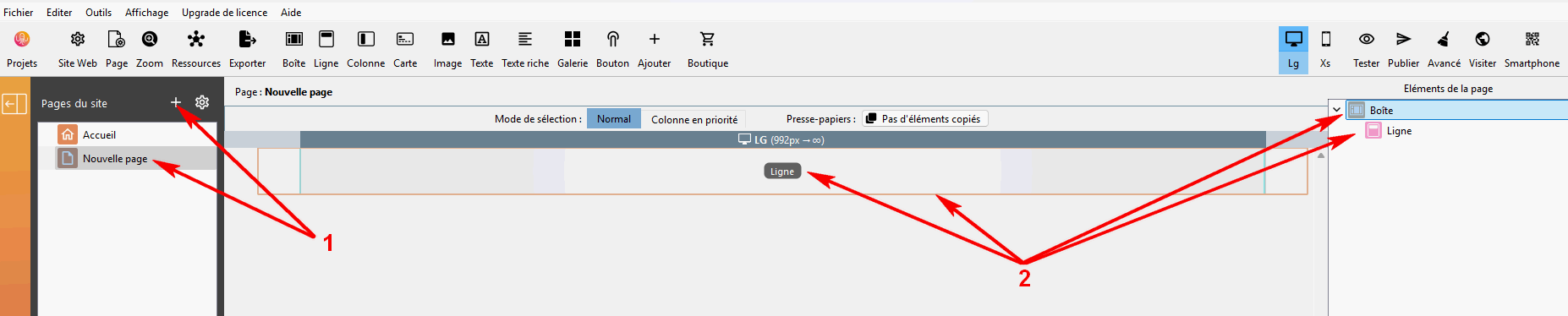
Create a new page in WebAcappella.
A box containing a line is automatically placed there.
Add columns to a row
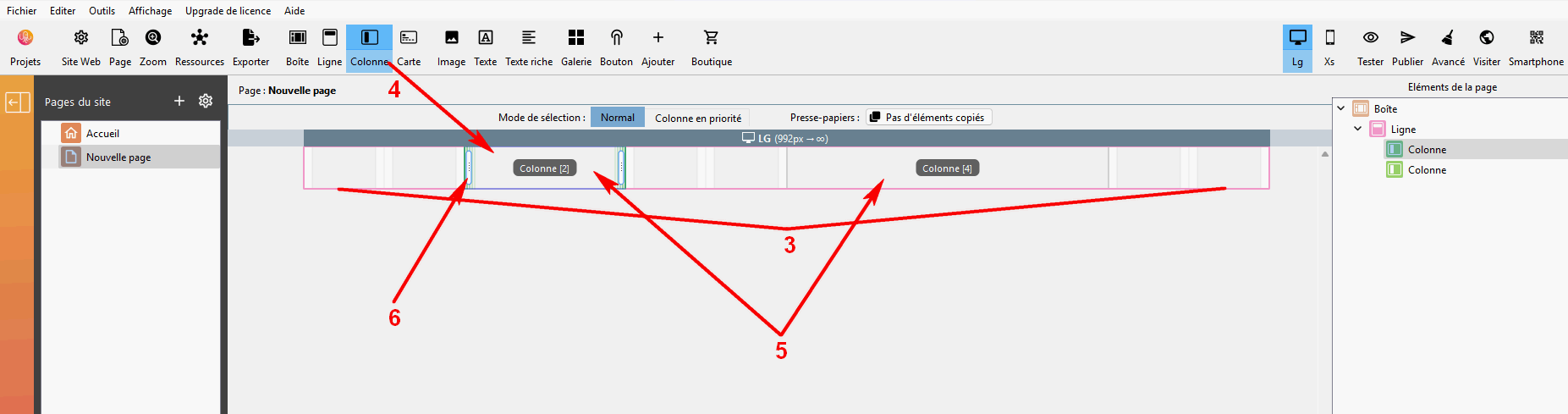
Each line is divided into 12 notches, making it easy to adjust column widths.
Drag and drop one or more columns into the row.
Repeat the operation to add several columns side by side.
Resize columns by adjusting their proportions.
In each of the columns you create, drag the desired elements (text, image, button, etc.) to occupy the width of the column.
Adding boxes and lines
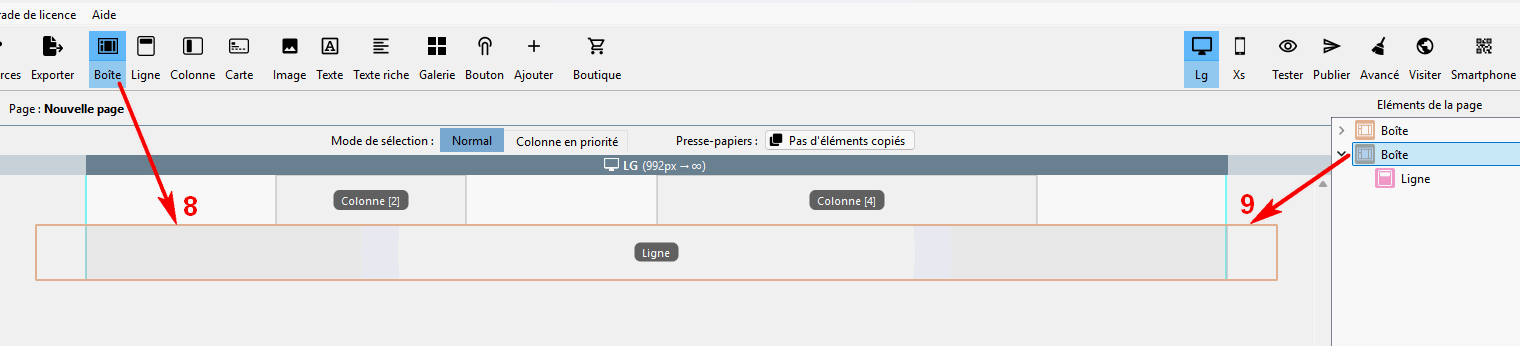
You can drag as many boxes as you like onto a single page.
Practical tips
Give priority to a clear structure by using several boxes to organize the page.
Use columns to balance the layout, but avoid using too many to overload the mobile display.
Regularly test responsive mode to ensure correct display on all screens.