Main interfaces
Home window
Home page with list of projects in current working folder

Create a new website
Import a backup as an archive or folder
Launch video tutorial mode
Current work file
Delete selected project
Change project name
Export selected project (save)
Open application preferences
Note
A project deletion is not definitive in the sense that a project deleted from the software is not physically deleted. The project folder will be renamed to : ~project-name, so you can recover a deleted project at any time by renaming the folder.
Editing window
Here are the essential interface elements for building your website:
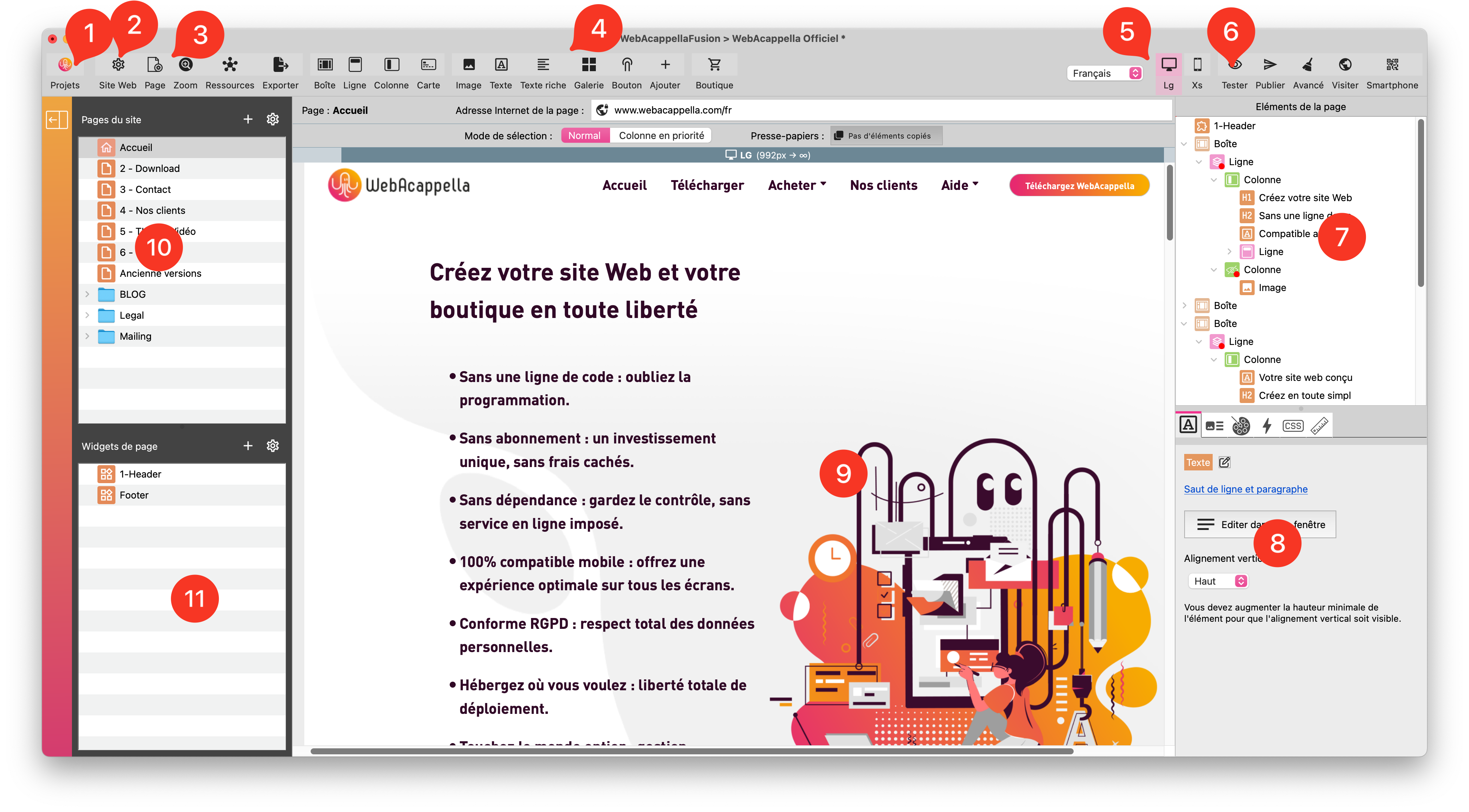
Button to return to the project list
General website properties
Current page properties
List of available components
Current screen selection buttons (responsive management)
Test the site locally
Tree structure of page elements (synchronized with work plan)
Properties of the selected element
Main work surface
List of pages
List of widgets