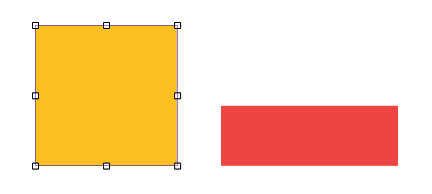
WebAcappella provides you with many elements that you can place wherever you want in the workspace (your page in creation). To select an element, place your mouse on it and make a simple left click. The selected element will then be surrounded by a border and resizing points.
Once the item is selected, hold down the left click and move it to the work surface. Release the left click to drop the item. WebAcappella allows you to select several elements at the same time or all the elements of the page.
Hold down the CTRL (or cmd key on Mac) and select items one by one. The elements will then be circled in orange. This will move the group of selected elements.
You can also make a selection of items by left-clicking in an empty area, then holding it down and moving your cursor to select an area and the items within it.
You can also select all elements on the page by clicking on in the main menu Edit -> Select All (or via the shortcut Ctrl A).
All the elements integrated in WebAcappella are resizable. Whether it is a text zone, an image, a photo album, a color zone… you can change the size of the element. Place your mouse in one of the corners or on one side of the element, keep the left click down and move your mouse in the desired direction to change its size. - Moving to the left or right will change the width of the element. - Moving it up or down will change its height. - Moving diagonally will change both the height and width of your element.
The element inspector, the ” Geometric properties ” tab of the element, allows you to manually adjust the size of your element.
The elements (text, images, photo album) can be copied or cut, then pasted on the page being created, on another page of the current site or on another WebAcappella site.
To copy an item, select it and apply the usual keyboard shortcuts (“CTRL + C” then “CTRL + V”) or right-click “copy” and then “paste” again.
To cut an element, perform the same manipulation by changing the shortcuts: ” CTRL + X ” then ” CTRL + V “) or right click ” cut ” and then right click ” paste ” again.