Editor interface
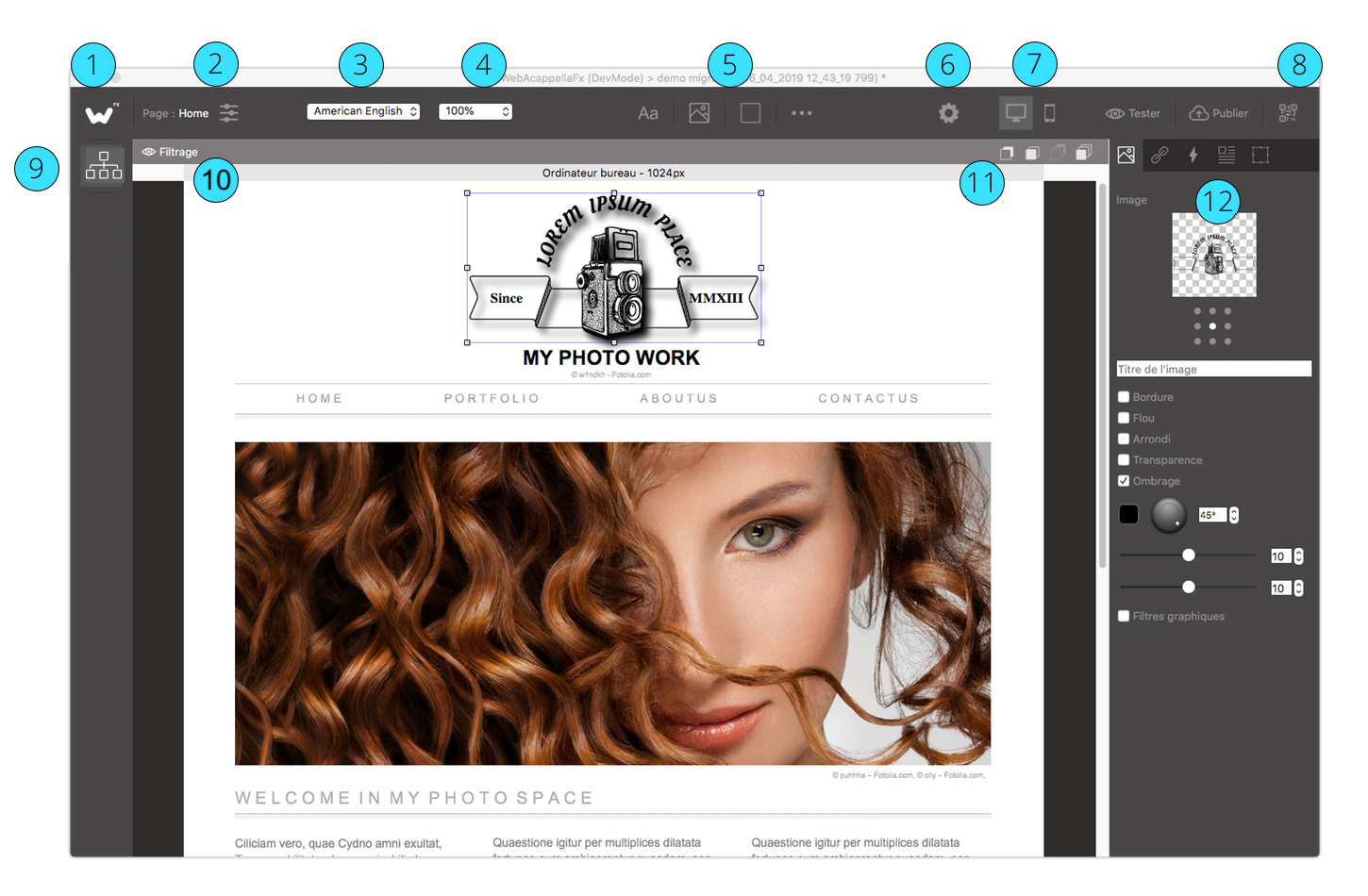
Open the list of projects / Create a new project
Edit the properties of the current page
Selection of the current language (for a multilingual site)
Zoom to current screen
List of components to be added to the page
Edit the general properties of the site
Selection of the current screen (for a “responsive” site)
Displaying QRcodes for testing on smartphones
Deployment of the panel with the list of pages of the site
Filter panel for filtering visible elements in the workspace
Element Overlay Buttons
Properties inspector for the selected item