Dashboard
Everything for your website
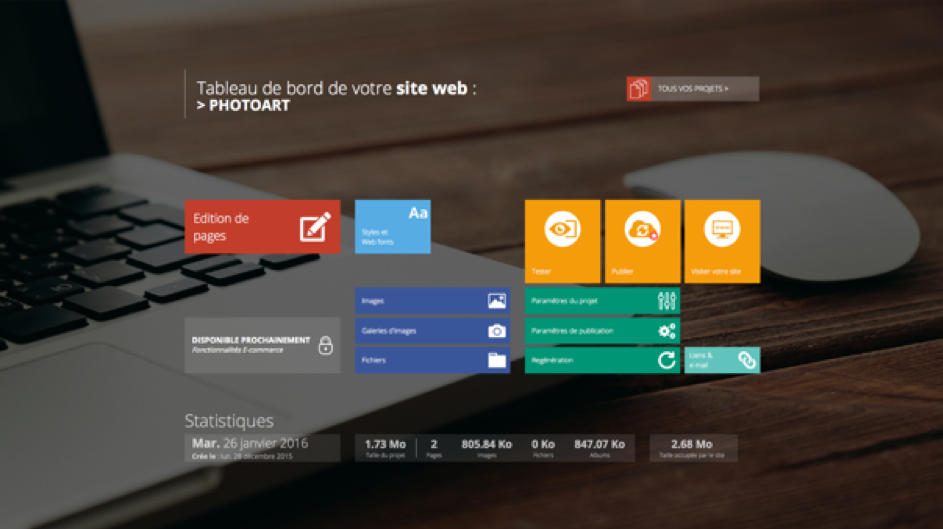
Here is one of the major screens of the new version of WebAcappella, you will find on it all the tools to create and modify your Web site project. At the very top, you will find the name of your project and then, more on the right, a button allowing you to return to the home screen (the one containing the list of your projects).
Page editing
This button is the fundamental tool to design your site project and access your workspace.
This screen will be your main place of creation because it is here that the components, the creation of pages, folders, different layouts, etc. are grouped together. Many tooltips are present to help you find your way around the software.
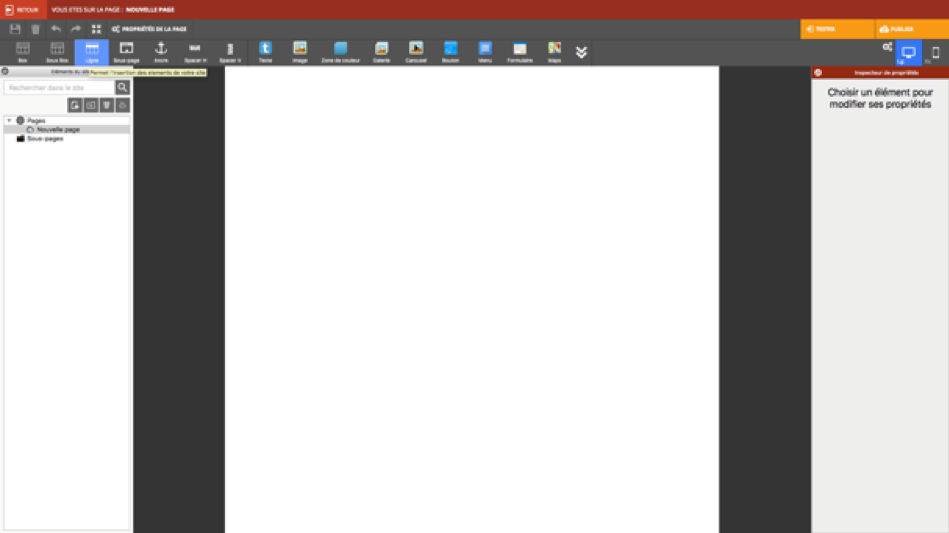
Fig.: your workspace
Elements of the site
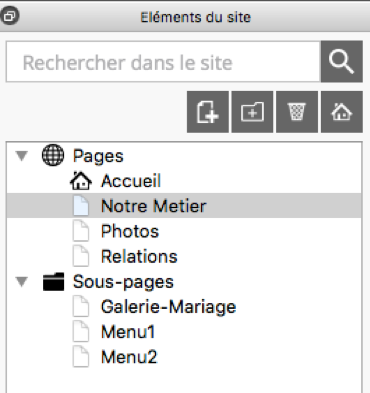
This window will allow you to manage your pages
Types of layouts
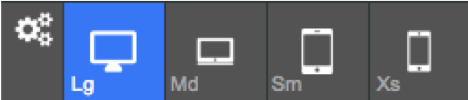
One of the major functionalities is to propose an automatic adjustment of the pages of your site on the different screens of the terminals offered on the market.
Here is a summary (read from left to right): Settings button: Allows you to change the layout options
- LG
Represents a desktop PC screen format with screen sizes in the range of 19 inches and larger. LG corresponds to a screen width value >= to 1200 pixels.
- MD
Refers to tablets in landscape mode or screen formats such as ultraportable PCs such as netbooks. MD corresponds to a screen width value >= to 992 pixels.
- SM
Will be used for tablets in portrait mode. SM corresponds to a screen width value >= to 768 pixels.
- XS
Display on smartphone type screens. XS corresponds to a value of screen width
Note
Choosing only 2 layouts, for example, will not restrict the display of your project. It will still be visible on all screen formats.
Test and publish
These two buttons will allow you to visualize the result of your creations on a browser. Test allows a very fast visualization because the files to be generated are created locally. Publish represents the final phase in the sense that it is this button that will allow your site project to be visible to everyone (requires hosting with at least one FTP server).